Documentation
Code Agent History
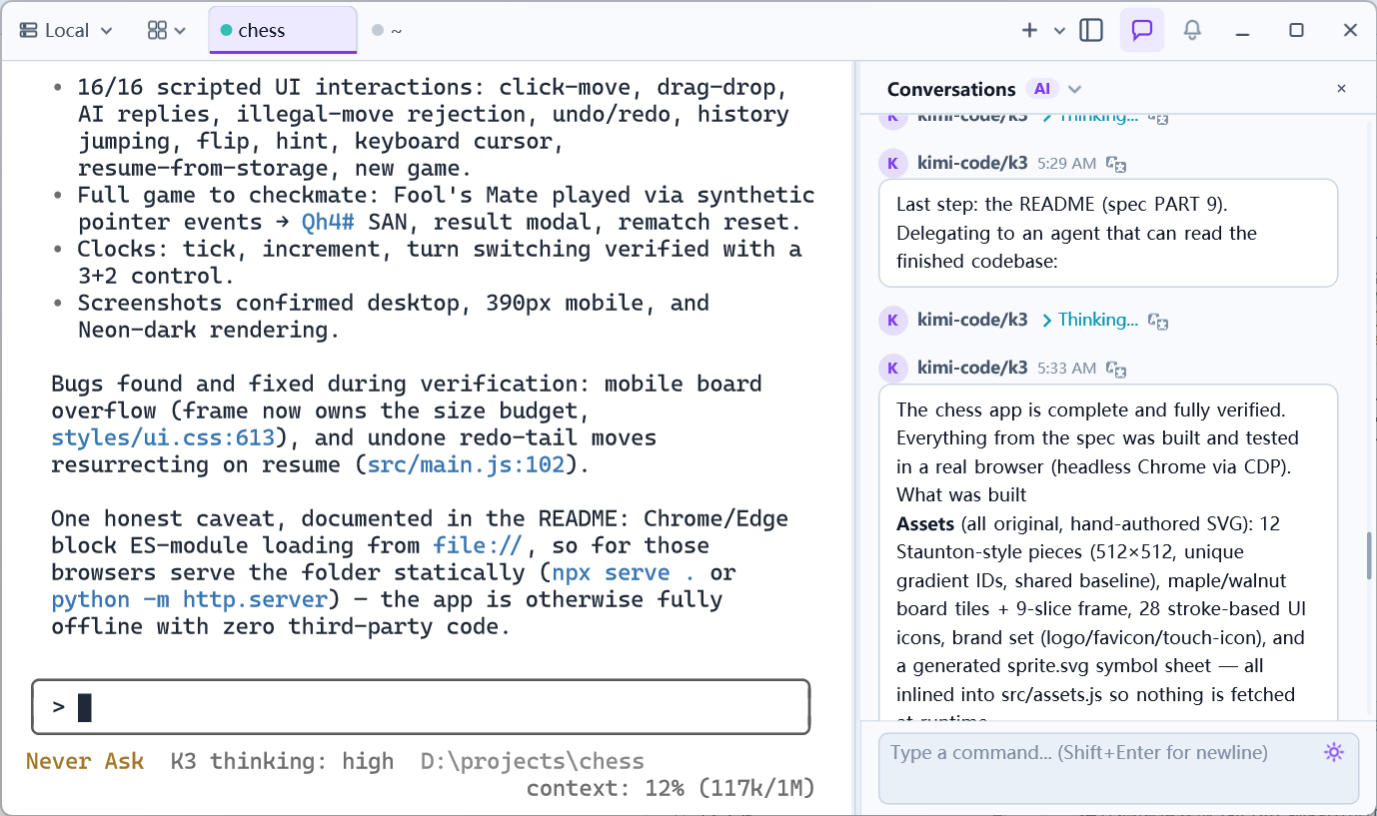
When you run a code agent (Claude Code, Codex, Kimi, Pi, OpenCode…) in a terminal, its conversation is trapped in that terminal window — scrolled among command output, gone once the screen moves. Code Agent Conversation History lifts the full conversation into a dedicated panel: every exchange shown structured, past conversations switchable, messages translatable — and you can send commands to the terminal right from the panel.
Opening the panel
Click the chat (AI) button on the right side of the title bar to toggle the Copilot panel. The dropdown at its top lists all past conversations of the agent running in the active terminal session, newest first; picking one loads it.
How it works
- The server knows which agent app is running in the terminal and parses its native session files (each agent’s JSONL/history format under its project directory); changes to the file stream in live, keeping the conversation view scrolling up to date;
- Supported agents:
claude/codex/kimi/pi/opencode; other apps have no conversation panel yet; - Messages carry a role (you / agent) and a type (text / Thinking reasoning), along with the model name and time, rendered as Markdown.
Panel features
- Switch conversations: the
Conversationsdropdown at the top moves between past sessions, each entry showing a brief and its time; - Translate: any agent message can be translated on request; the translation replaces the text in place (and can be toggled back);
- Send commands directly: type in the box at the bottom (Shift+Enter for a newline) and press Enter — the command goes straight into the current terminal, like typing into the agent’s own input box without occupying the terminal view.
How it fits with other features
- The panel and the terminal are two views of the same session: the agent’s questions in the terminal are still answered there (or via Auto Confirm); the panel is for reviewing history, not for intercepting interaction;
- Combined with
Terminal MCP(previous page), external agents can also read the terminal screen and run commands — the conversation shown here plus MCP actions form the complete record of agent work.