Documentation
UART Serial
UART serial turns a device’s serial console (debug port, embedded board, SBC) into a terminal tab you can watch and interact with like any other terminal.
Configuring a port
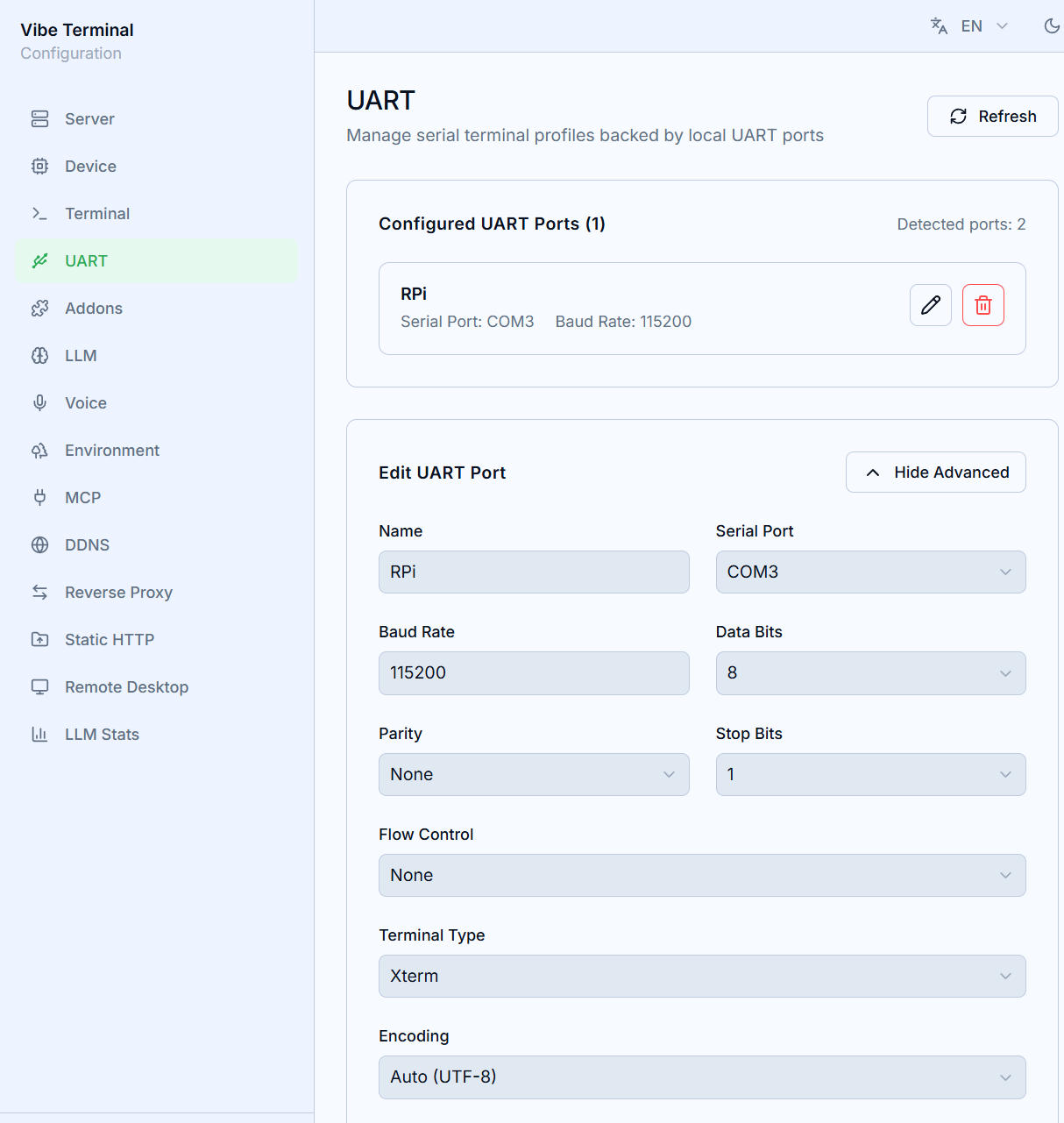
In the Web UI’s UART section → Add UART Port:
Name— shown as the terminal’s title (e.g. “Debug Console”);Serial Port— pick from the detected ports (the count is shown at the top of the page);Baud Rate/Data Bits/Parity/Stop Bits/Flow Control— match the device firmware;Terminal TypeandEncoding— encoding defaults to Auto (UTF-8) and can follow the firmware;Show Advanced Optionsexposes further serial parameters.
Saved ports appear in the Configured UART Ports list and can be edited or removed at any time.
Using it in the client
Configured ports open as terminal tabs like ordinary server sessions:
- Serial data is displayed as it arrives; keyboard input goes straight to the port;
- The right-click menu offers
Clear(blank the screen) and anEncodingsubmenu (switch encoding live; the current one is check-marked); - UART sessions have no shell features (no Quick Commands, Apps, or Envs menu items).
Typical uses: router/switch consoles, embedded board logs, flash-jig monitoring.