Documentation
Push, Checkout & More
The branch list’s right-click menu concentrates pushing, checkout, and the day-to-day branch operations.
Push
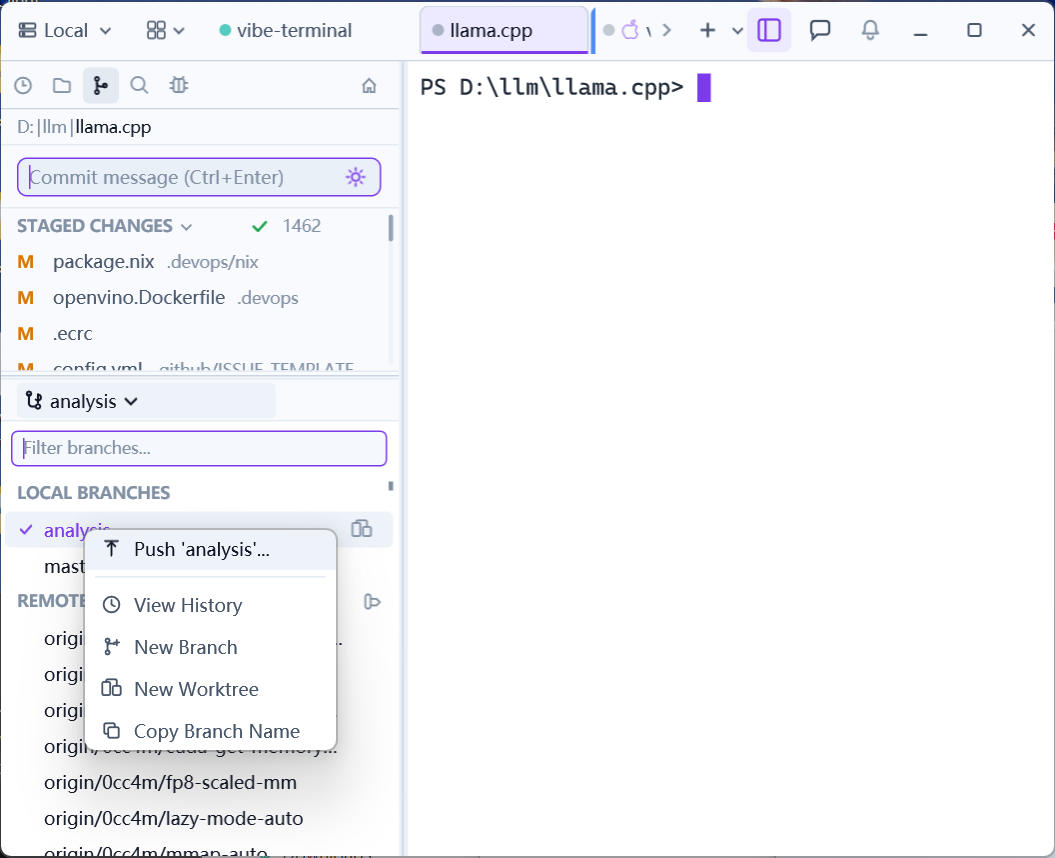
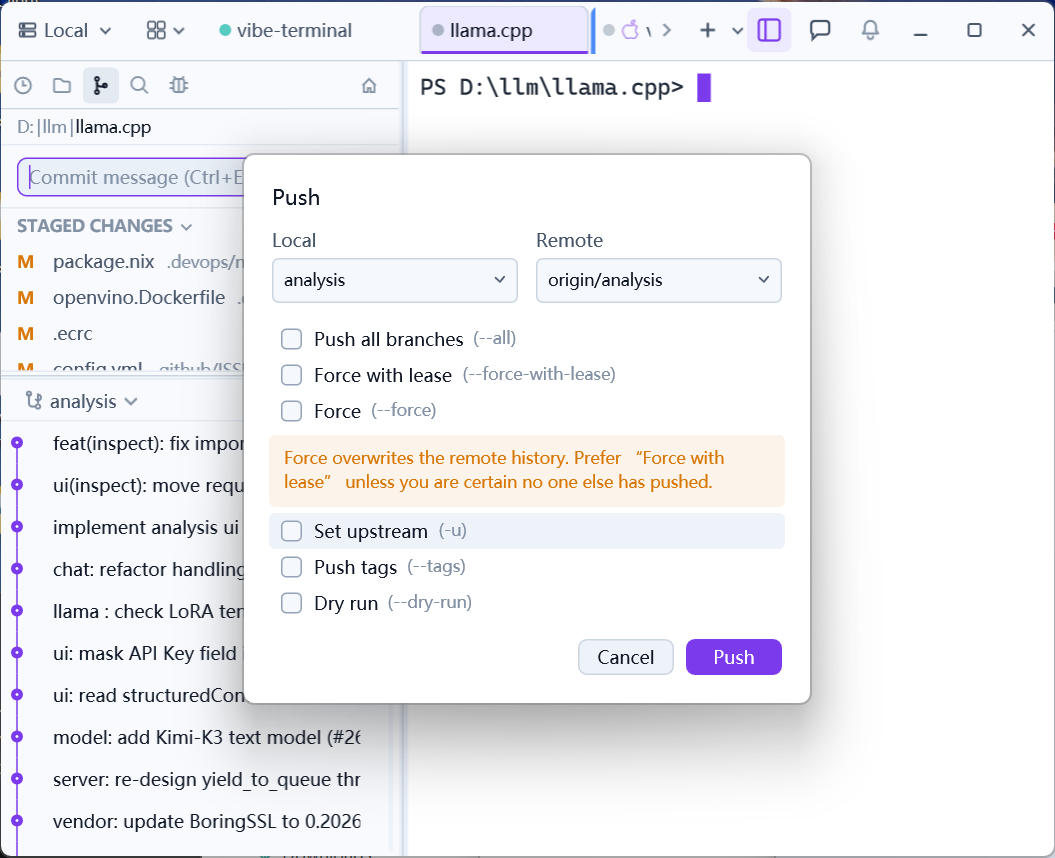
Right-click a branch → Push '{branch}'... opens the push dialog:
- It shows the
local → remotetarget mapping; either name can be changed (pushing to an existing remote branch under a different name asks for confirmation); - Options:
Push all branches,Set upstream(bind upstream on first push),Push tags,Dry run; - History-rewriting
Forceand the saferForce with lease(refuses when someone else has pushed — preferred). Operations that rewrite history, like pushing after a rebase, require one of these; - A risk hint about force pushes is shown in the dialog.
Checkout
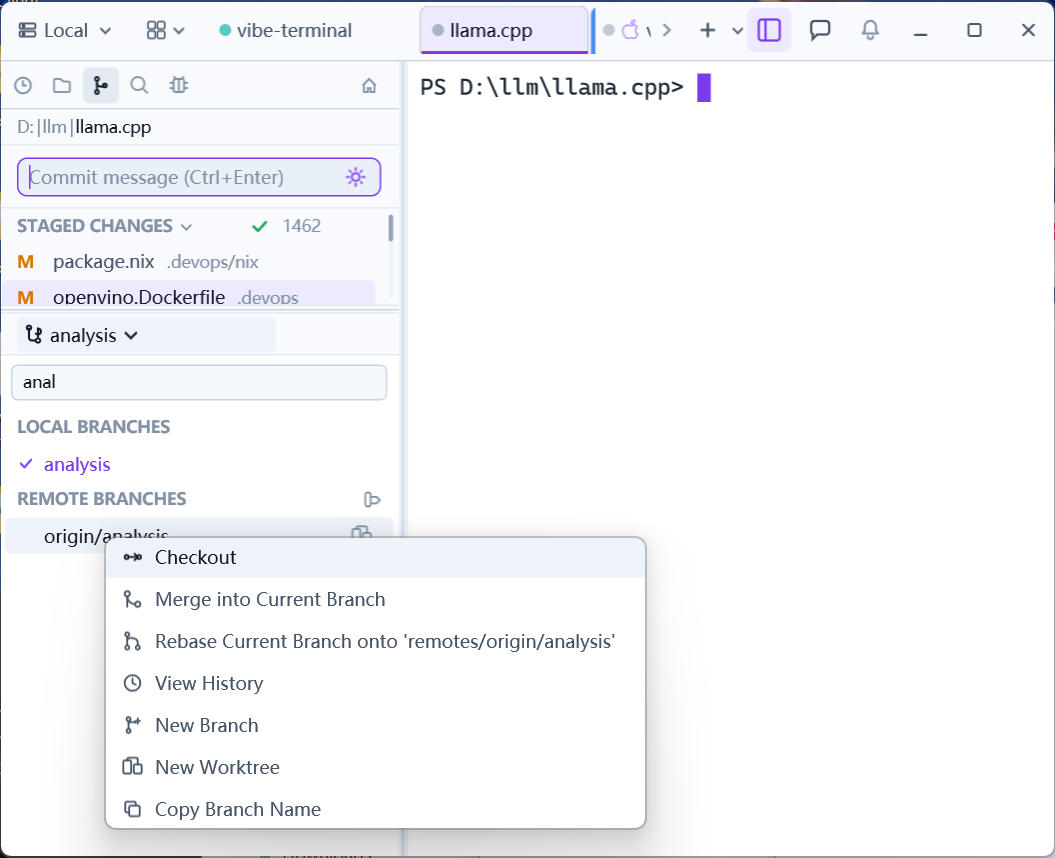
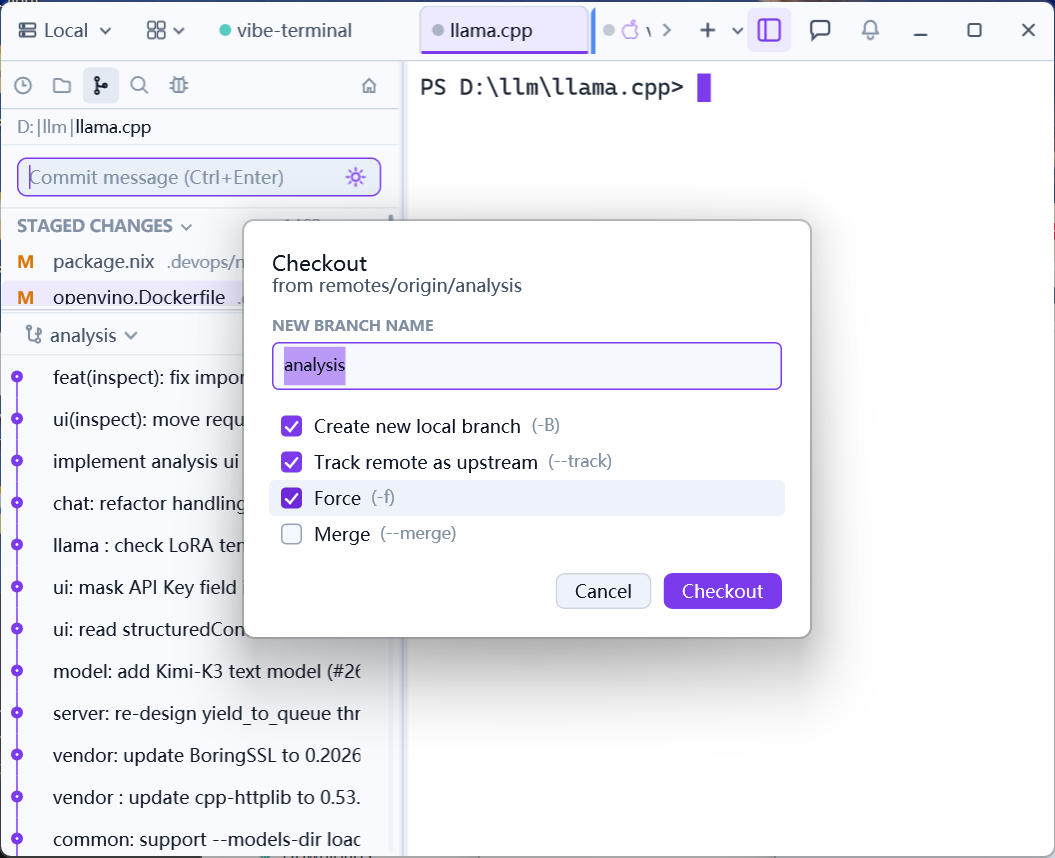
Right-click a branch → Checkout to switch branches — local branches check out directly, while a remote branch or tag opens the checkout dialog:
New branch name— the local branch to create, prefilled from the ref;Create new local branch(-B),Track remote as upstream(--track, remote branches only),Force(-f),Merge(--merge).
The session’s working directory follows the switch; the terminal and the Git panel reflect the new branch immediately.
Detached HEAD
Checking out a bare commit (e.g. checking out a commit while browsing history) detaches HEAD. The next commit then opens the Detached HEAD dialog: choose an existing branch to commit to, + Create new branch… in place, or Skip for now.
More operations
- Stash — stash all changes onto the stack (message optional) from the changes header; the
STASHESlist supportsPop(apply and remove) andDrop(discard, irreversible); - Deleting branches/worktrees — via the right-click menu on the entry, both with irreversible-action confirmations;
- History & reverting —
HISTORYlists commits; right-click for file history, diff against the working tree, or revert to a revision; - Copy — branch names and commit hashes copy in one click, handy for pasting to an agent or a colleague.