Documentation
Auto Confirm
The server-side terminal analyzer watches terminal output: it detects command prompts, recognizes task completion, and with an LLM classifies what the terminal is showing. Auto Confirm is its most used feature — when the terminal stops at an ordinary confirmation prompt (like Proceed? [Y/n]), Enter is sent for you, so long tasks no longer stall on questions.
Configuration
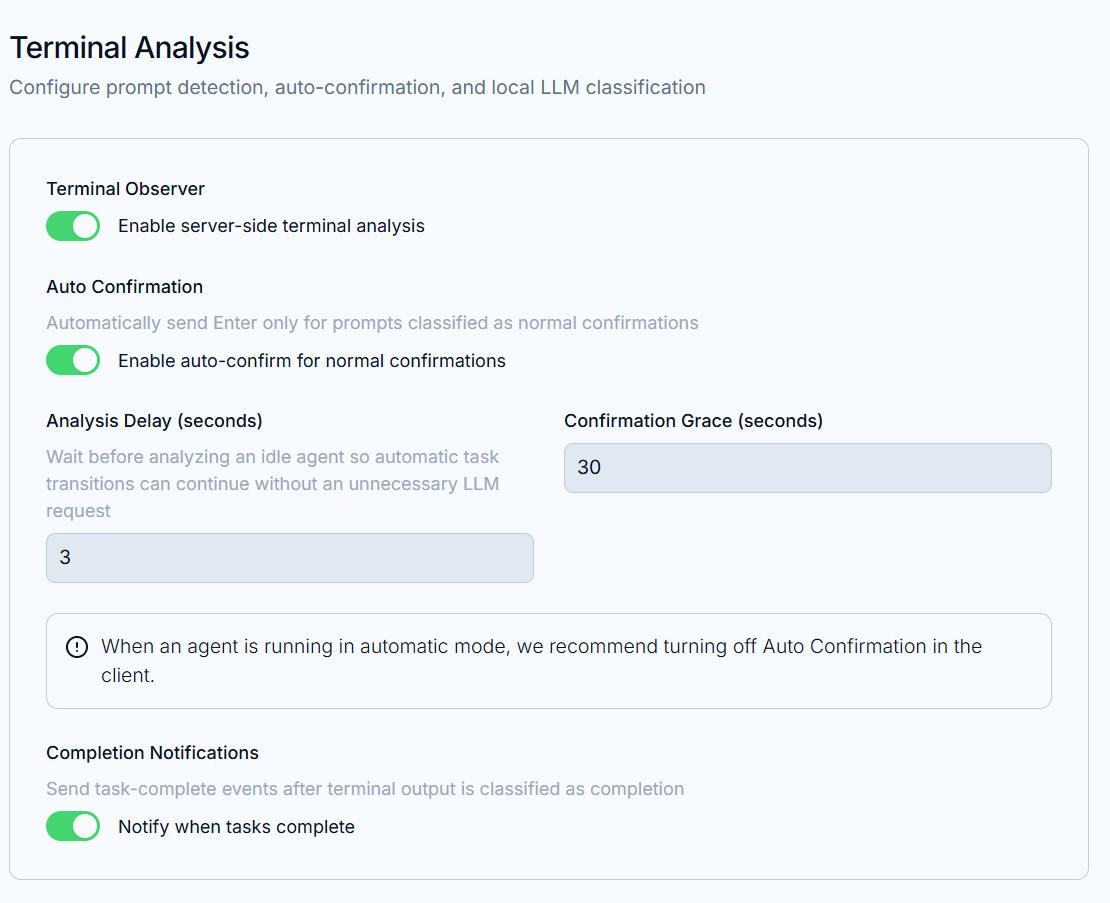
The Terminal Analysis section of the Web UI:
Terminal observer— the master switch for server-side analysis;Auto confirm— sends Enter only for prompts classified as ordinary confirmations; other questions are never answered blindly;Analysis delay (seconds)— how long to wait after an agent goes idle before analyzing, avoiding redundant LLM calls between tasks;Confirmation grace (seconds)— the window during which you can take over after a confirmation is detected;Notify on completion— emits an event when output is classified as task-finished (feed it into notifications).
The page notes: when your agent’s own auto mode is on, prefer turning
Auto confirmoff in the client so the two automations don’t answer over each other.
LLM dependency
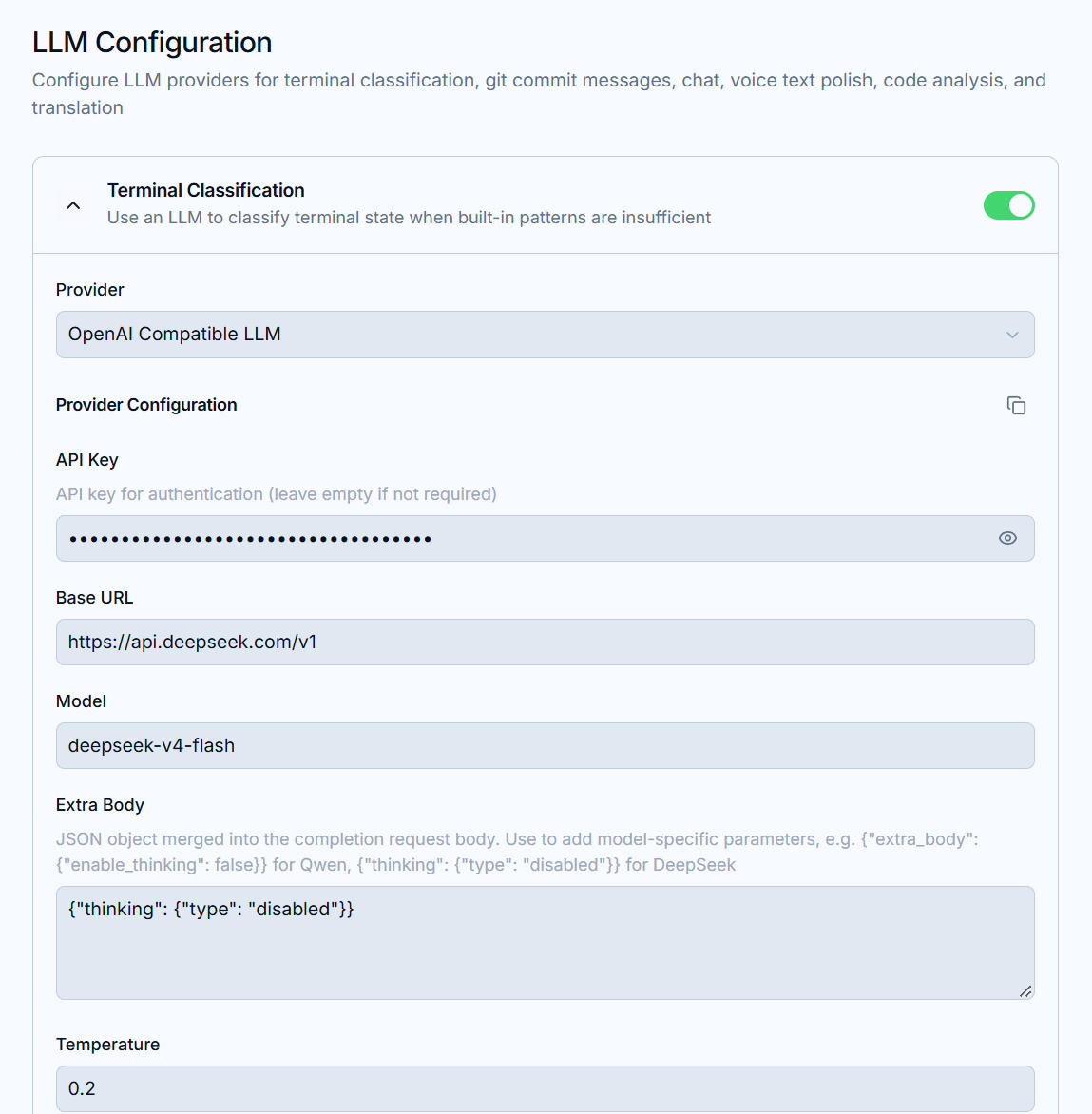
Classification is done by an LLM: pick a Provider and fill in its credentials in the LLM section (shared by terminal classification, Git commit messages, the chat assistant, and other AI features). Without an LLM the analyzer still works with reduced accuracy — keep auto confirm off in that case.